

I Built a Real, Earning Shopping App With No Code in 5 Steps
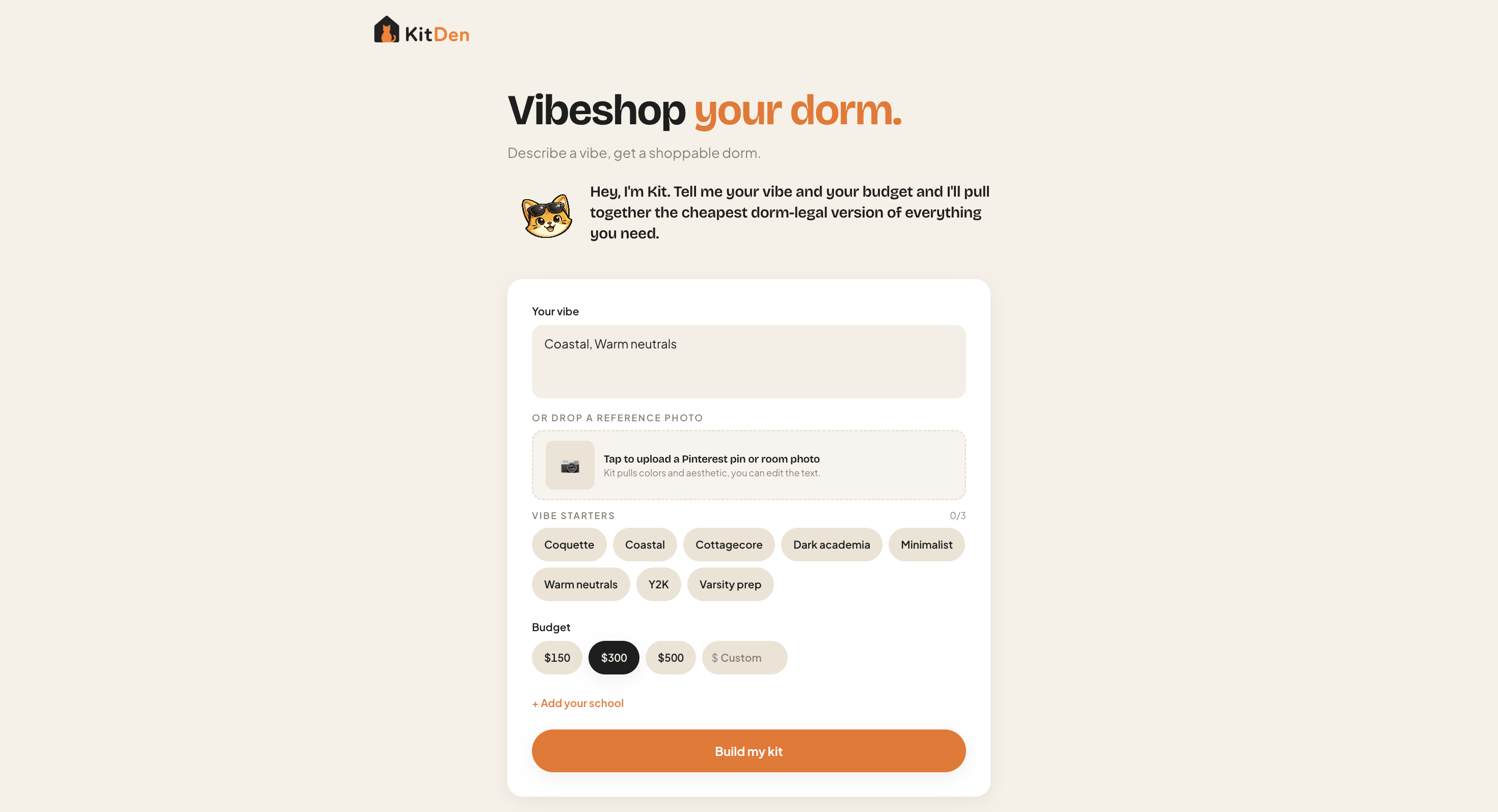
Hi! I'm Shrivi. I'm 19, I'm an intern at Channel3, and last year my freshman dorm looked like a prison cell: blank walls, one sad blue comforter. Shopping for it broke me. Too many tabs, too many decisions, so I froze and bought nothing.
So this year I built the thing I wish I'd had: an app where you describe a vibe and a budget, and an AI hands you a complete, buyable room, with real products, real prices, and real buy links. It's called KitDen, it's live, and it took me an afternoon.
The part I want you to notice isn't that it's slick. It's that I'm not an engineer. I took finals a month ago. I built this in Lovable (you describe what you want in plain English, it ships it) wired to the Channel3 API for the products. Five steps, mostly prompts. Here's every one, including the parts that broke.
TL;DR
I built a live, earning AI shopping app in five steps on Lovable, with no real coding: scaffold the UI with a prompt, connect Channel3 for real products with a prompt, add AI curation with a prompt, drop in full product pages with a prompt, publish. Monetization was automatic; every buy link earns commission. Free to start (1,000 searches, no card). The five prompts and the honest gotchas are below. (Want the why behind the stack first? Here's how to build an AI shopping agent.)
Why this matters
Anyone can vibecode an app now. Almost nobody can make one earn a dollar. That's the wall. Vibecoding platforms spent this whole year wiring in payment rails just to help builders make money, and the usual answer is a subscription, which is brutal: roughly 3% of free users ever convert, and most churn the second the bill lands.
I skipped that whole problem, and I'll show you exactly where. But first, the build.
Step 1: Scaffold the app (one prompt, fake data)
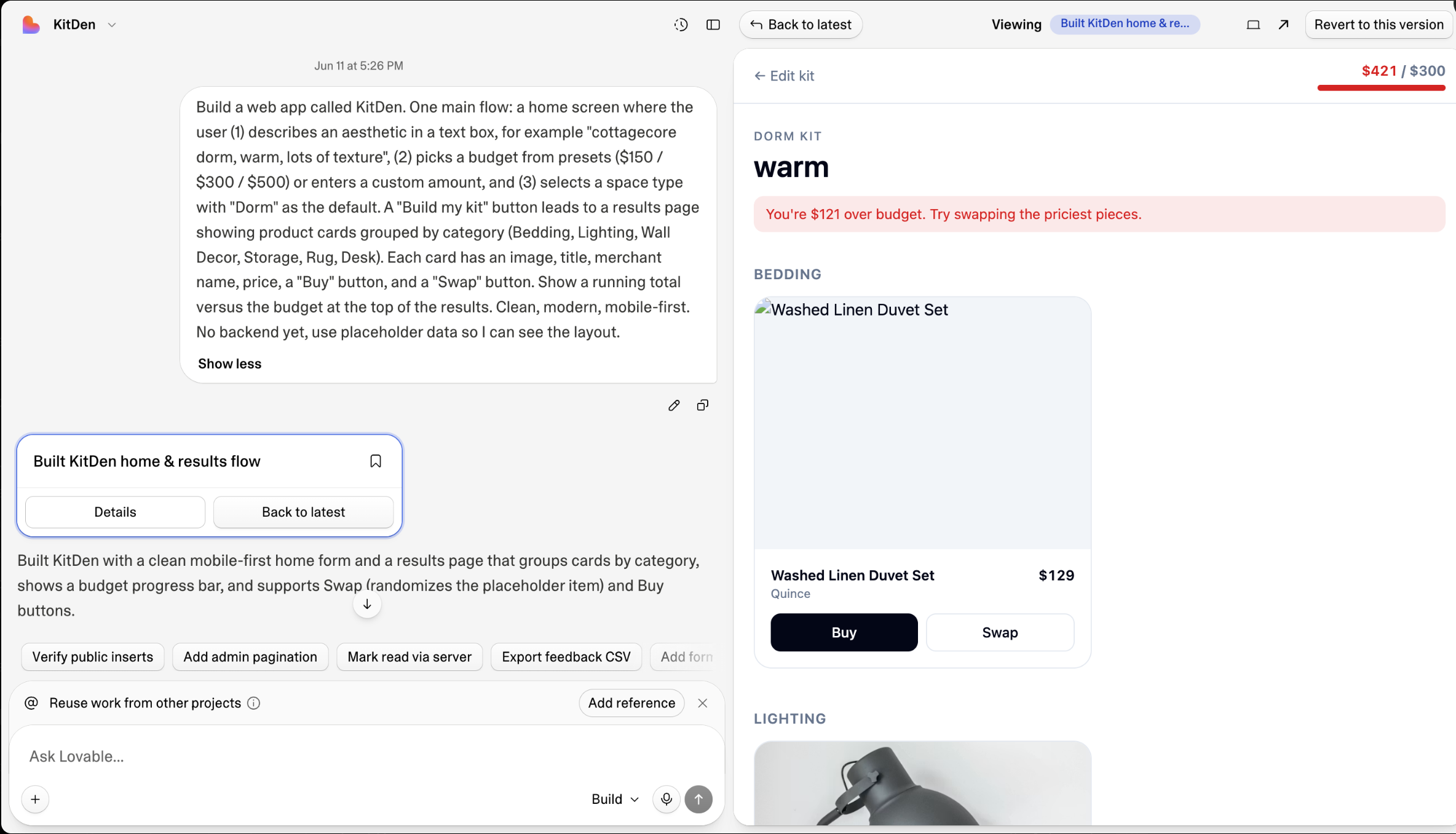
Before wiring anything real, I described the whole flow once so I could see the shape. One prompt into Lovable:
Build a web app called KitDen. Home screen: a text box to describe an aesthetic,
budget presets ($150 / $300 / $500 + custom), and a "Build my kit" button that
leads to a results page of product cards grouped by category (Bedding, Lighting,
Wall Decor, Storage, Rug, Desk) — each with image, title, merchant, price, Buy,
and Swap, plus a running total vs. budget. Mobile-first. Use placeholder data for now.
That one sentence gave me a working home screen and results page with fake products. No code.
Step 2: Connect Channel3 for real products (one prompt)
This is where a normal tutorial would tell you to go set up a backend. Lovable has one built in (Lovable Cloud, no separate signup), so I just prompted it to add a search function that calls Channel3. When it asked for my API key, I pasted in the one I'd grabbed free from the Channel3 dashboard (1,000 searches, no card) and dropped it into a secret dialog, so it lives server-side and never touches the browser.
Add a backend function called channel3-search that takes { query, filters, limit },
POSTs to https://api.trychannel3.com/v1/search with the header x-api-key set to a
secret named CHANNEL3_API_KEY, and returns the JSON with CORS enabled. Then wire the
results page to render real products — the price is offers[0].price.price and the Buy
link is offers[0].url. Only search when the user submits, never on keystroke.
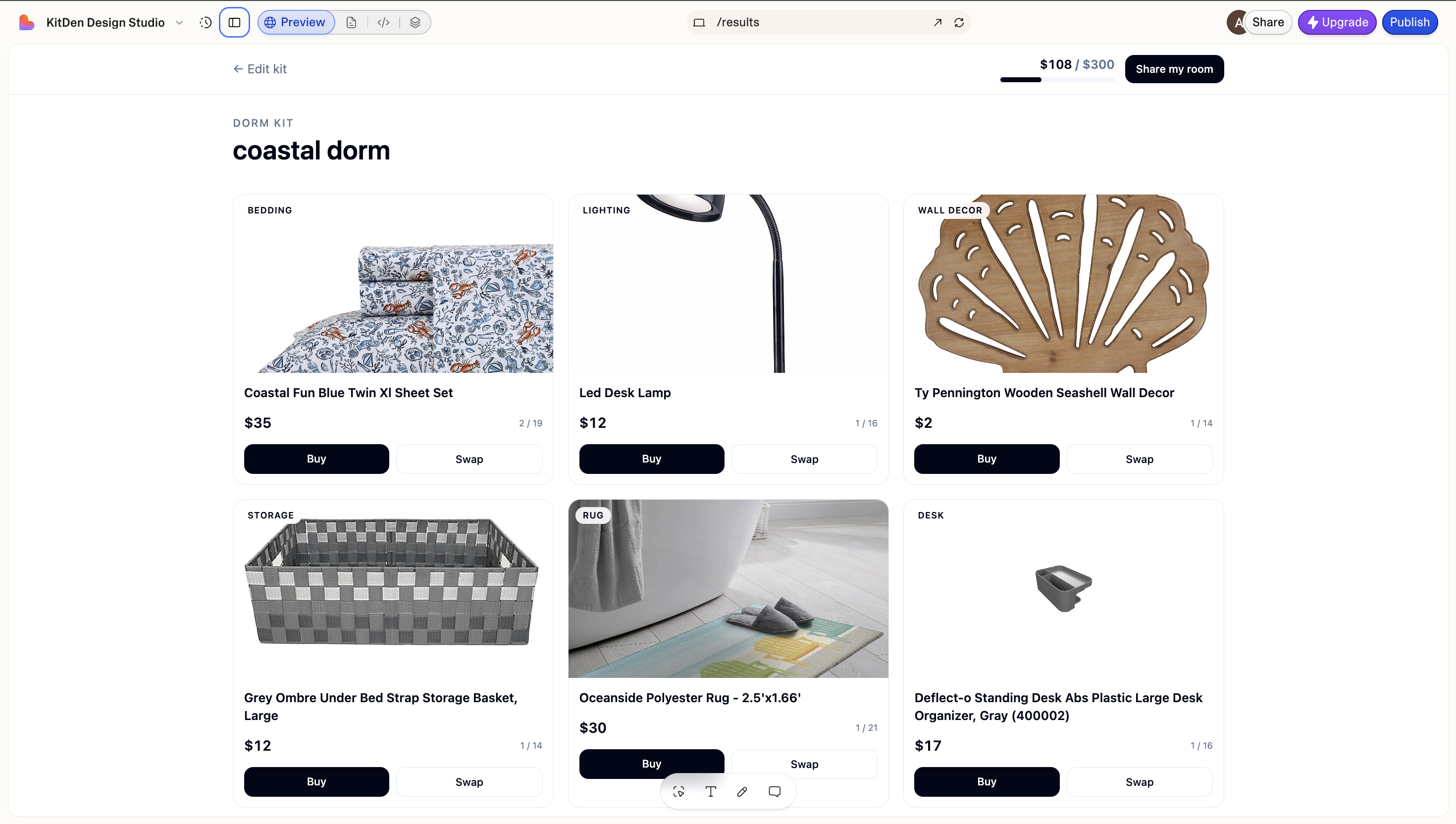
And suddenly there were real backpacks (sorry, real bedding) with real prices from real stores. First time I saw live products render, I actually said "no way" out loud in the library.
Step 3: Make it curate, not just search (one prompt)
A search returns a flat list. A kit is one cohesive pick per category, under budget. Lovable has built-in AI for exactly this, no extra key:
Add curation with Lovable's built-in AI (no API key, server-side). From the aesthetic,
have the AI plan a Channel3 search per category, call channel3-search per query, then
pick the best item per category within budget with a one-line reason for each. Show the
reasons under each card and a short overall summary.
Now "warm coastal, $300" came back as a named, budget-capped kit with a reason under each pick: reasoning about a room, not searching a catalog.
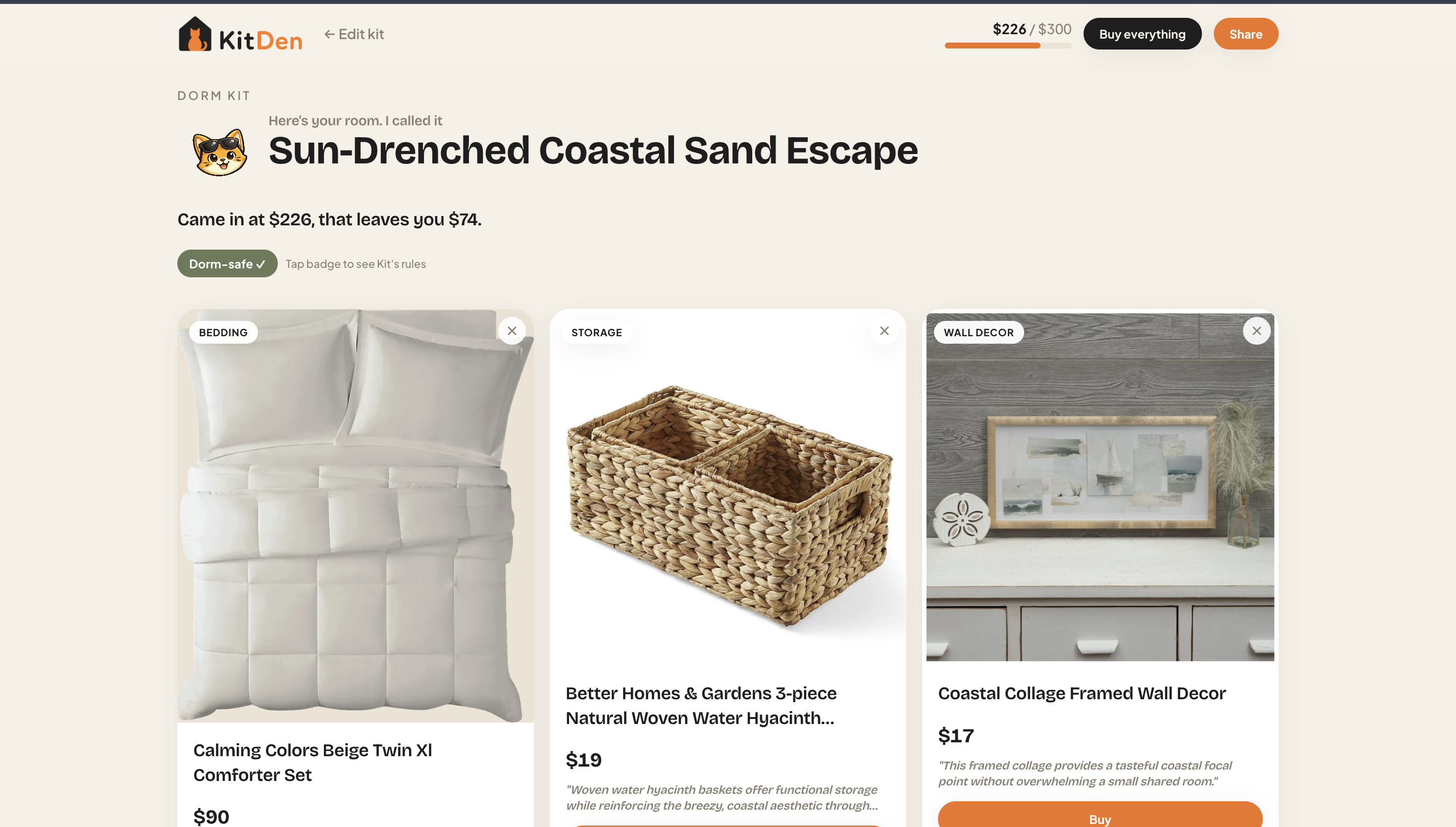
Gotcha, honestly: the AI sometimes picks items that blow the budget, and catalog images aren't always perfect. An occasional retail-box shot or generic title slips through. I spot-check before shipping and use the Swap button to drop in a cleaner match. It's not magic; it's a tool you steer.
Step 4: Add full product pages (the one I was dreading)
Here's where my plan had been genuinely grim. I figured I'd have to screenshot Amazon and Walmart, drop them into Lovable, and beg it to rebuild a product page by hand: image galleries, price comparison, similar products. Days of fiddling. A stack of burned credits.
Then I found out the API I was already using ships those exact screens as ready-made components. One prompt:
Add the Channel3 UI components from their shadcn registry at
https://ui.trychannel3.com/r/all.json, then build a product detail modal with the
product-details block. When I tap a kit item, fetch its detail server-side — add
product-detail, price-history, and similar-products actions to channel3-search — and
pass the data in as props so the gallery, every offer, price history, and
recommendations all render. The components are presentational and never see the key.
Buy links to offers[0].url.
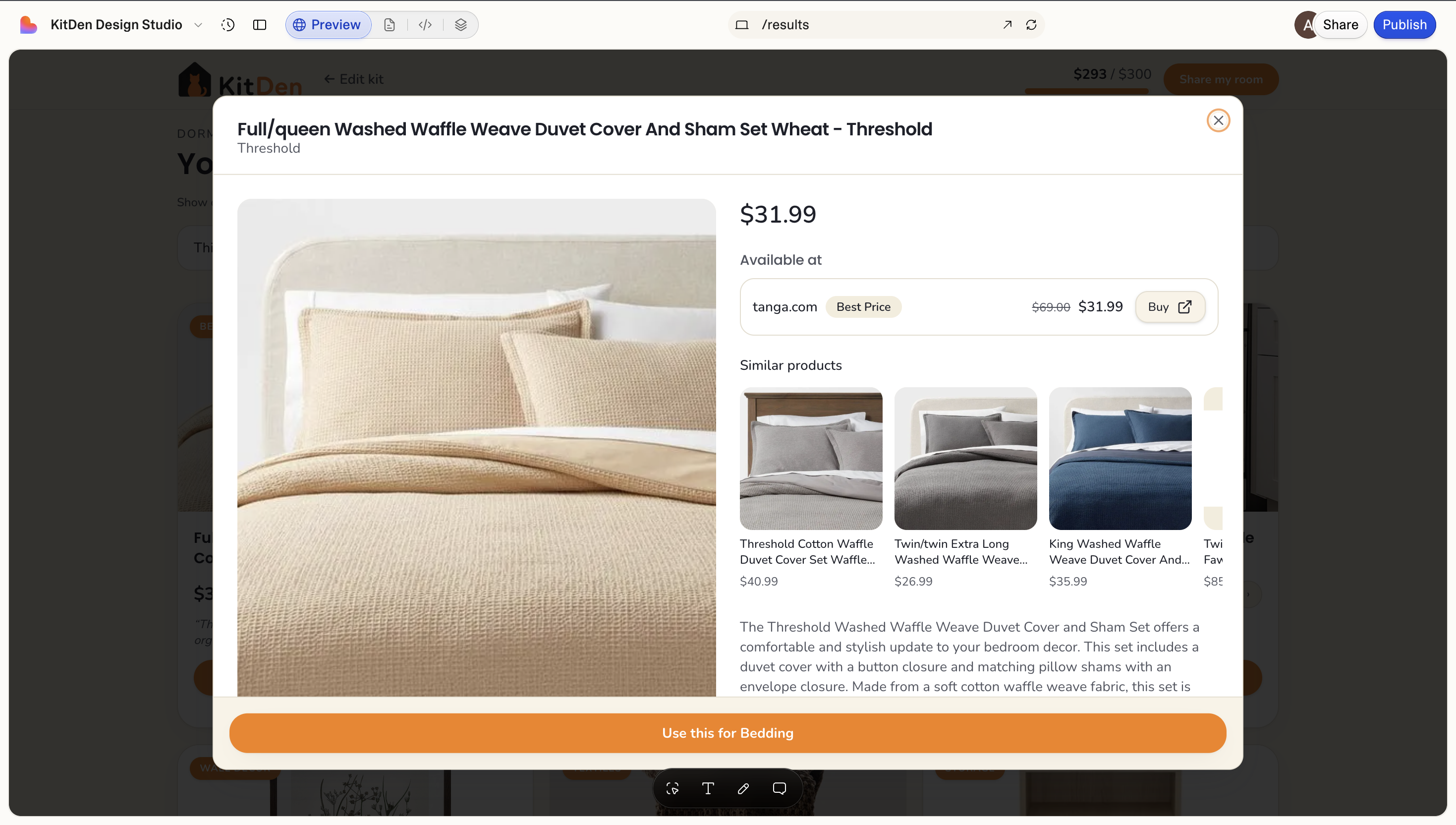
One prompt pulled in a full product page: multi-image gallery, every available offer side by side, a price-history chart, and a row of actually relevant similar products. I'd never have built price-history comparison on my own. It came for free.
The portable lesson here, the one I keep relearning: don't hand-build a hard surface until you've checked whether someone already shipped it. A dashboard might be Tremor. A rich text editor, TipTap. A maps view, Mapbox. For a shopping app, it was Channel3. The right building block doesn't just save you days; it hands you features you'd never have thought to add.
Step 5: Publish, and here's the part that earns
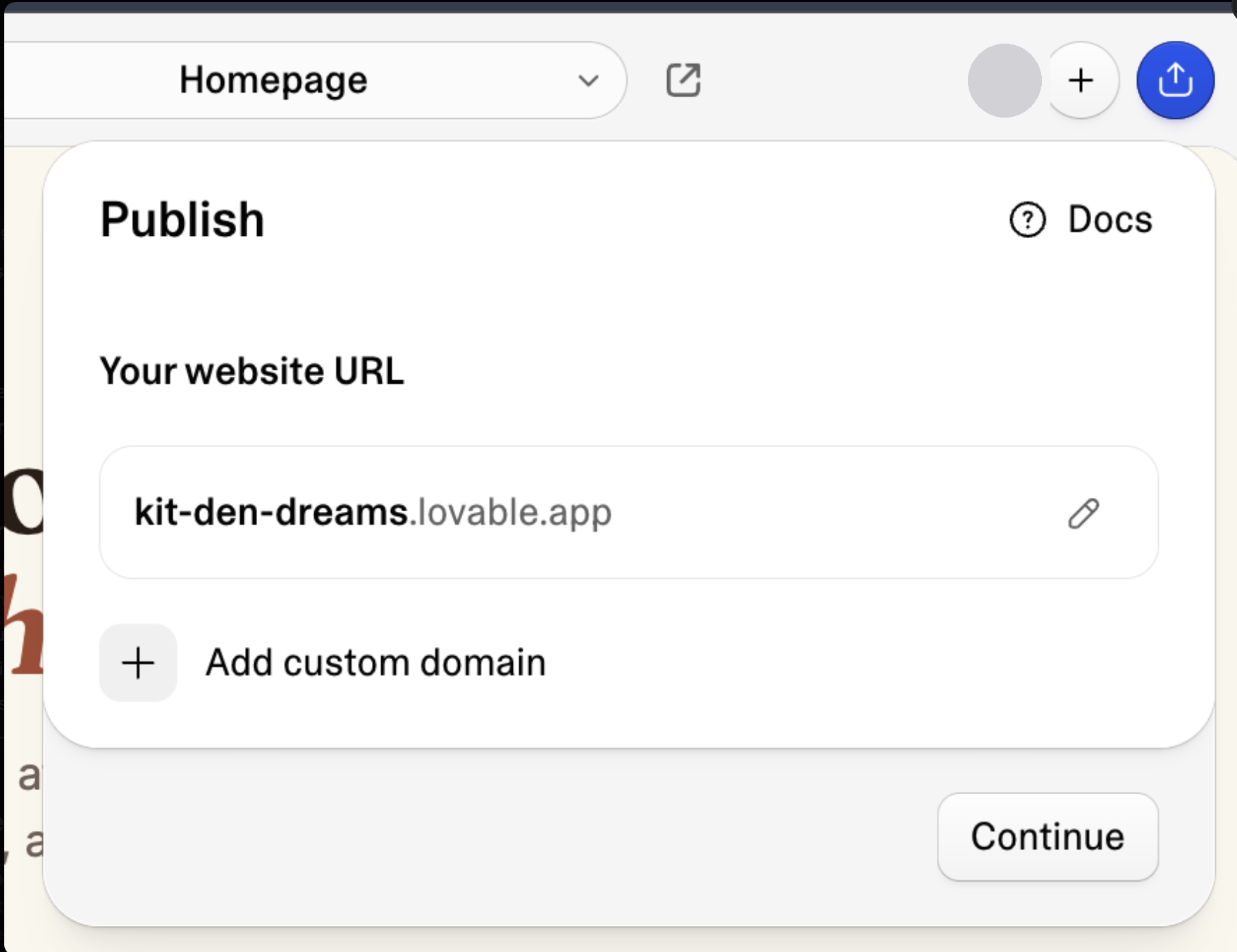
I hit Publish, picked a URL, and it was live.
Now the part I promised: the money. I never wrote a single line of payment code, and the app earns anyway. Because every search ran with my Channel3 API key, every buy link (offers[0].url) is already an attributed commission-earning link. When someone clicks through and buys at a store they already trust, the commission is mine. No paywall, no subscription, no checkout to build. Someone could ignore my whole app, buy one lamp through a link, and I still earn.
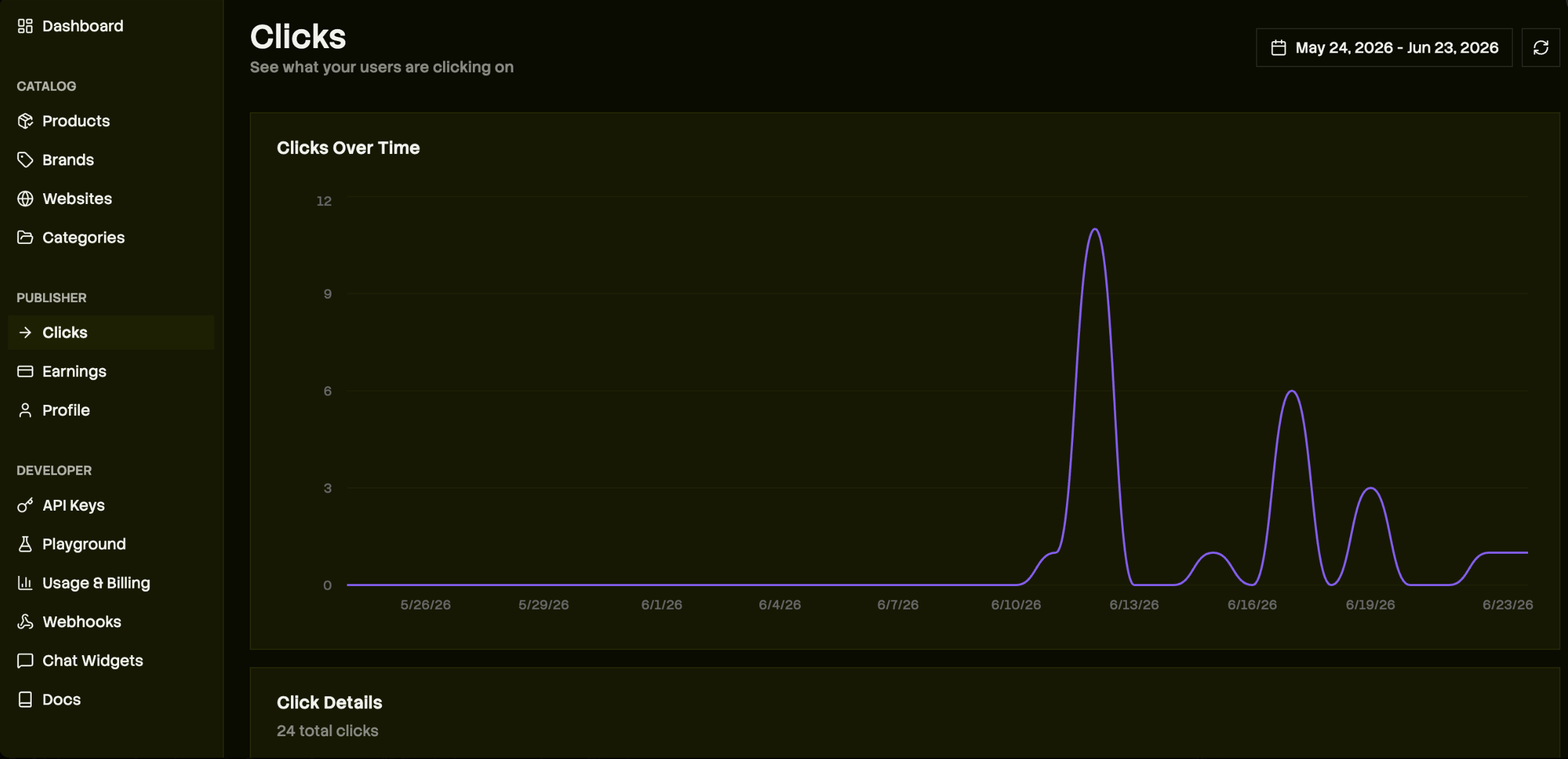
That's the entire monetization layer, and it was wired in from step 2 without me noticing. Any offer where max_commission_rate > 0 is monetizable, across thousands of brands. Earnings clear after the retailer's return window and pay out via Stripe (you verify your identity in the dashboard so nothing's withheld). I track clicks and earnings right in the Channel3 dashboard — no analytics code either.
Optional: a chat concierge, zero code
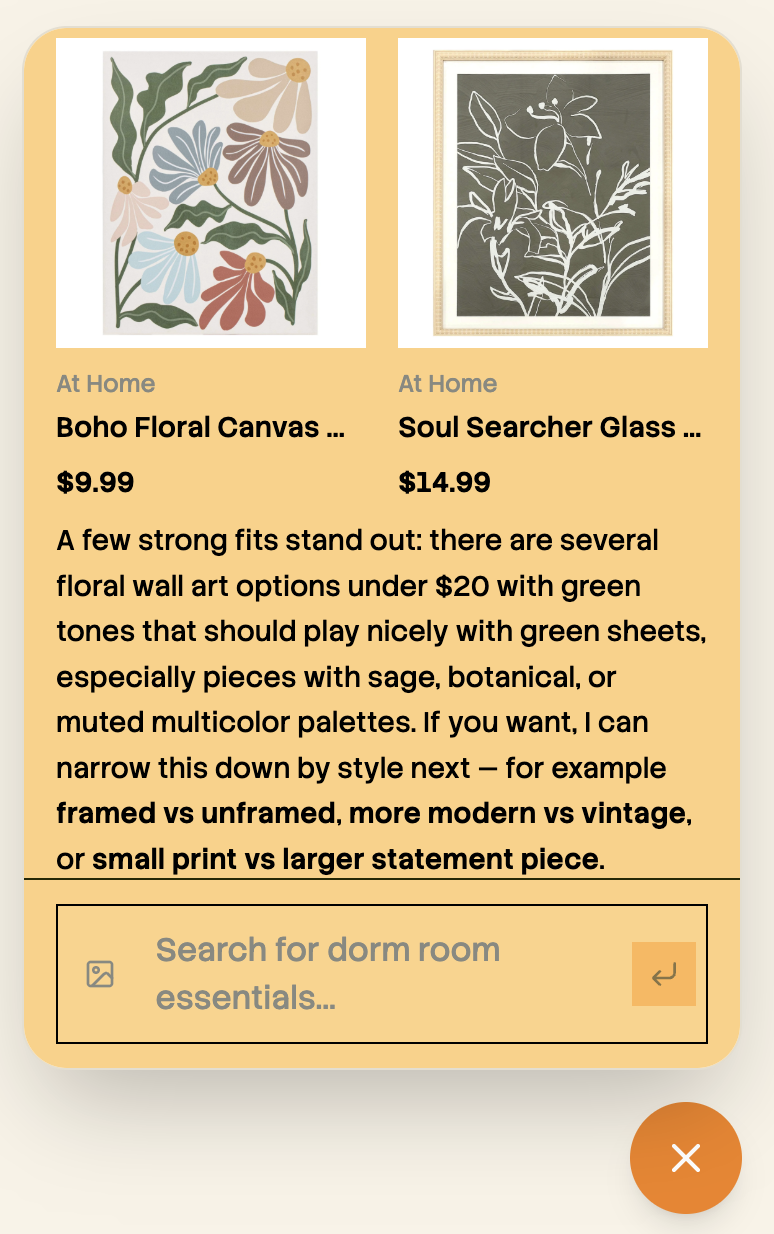
If you'd rather have a shopping assistant than a builder, Channel3 has a hosted chat widget. You set a persona in the dashboard and paste one iframe into Lovable. No backend, no key on the client:
<iframe src="https://trychannel3.com/widget/{id}" style="width:100%;height:700px;border:0;"></iframe>It handles conversation, product matching, and checkout links on its own.
The whole build, at a glance
| Step | What I did | How long | Code I wrote |
|---|---|---|---|
| 1. Scaffold | One prompt, placeholder data | Minutes | None |
| 2. Connect Channel3 | One prompt + paste API key | Minutes | None |
| 3. AI curation | One prompt | Minutes | None |
| 4. Product pages | One prompt (installs components) | Minutes | None |
| 5. Publish + earn | Click Publish | Minutes | None |
An afternoon, five prompts, zero lines of code I wrote myself, and a live app that earns on every checkout.
Try it yourself
Pick something you'd actually use, like a gift finder, a capsule-wardrobe stylist, or a "shop this photo" app, and build it the same way. Grab a free Channel3 key (1,000 searches, no card), start a Lovable project, and run the five prompts above. If you want the reasoning behind why this stack works before you start, I wrote that up here: how to build an AI shopping agent.
I'm doing this in public all dorm season. No users and no revenue yet, but a 100M+ product catalog to earn on and a real app in real hands. If you were building this, what's the first thing you'd add?
— Shrivi, Intern @ Channel3
Frequently asked questions
- Can you build a shopping app without coding?
- Yes. You describe it in a prompt-builder like Lovable and connect a product API for real products; this post builds a live one in five prompts with no code written.
- How do I build a shopping app on Lovable with real products?
- Scaffold the UI with a prompt, then add a backend channel3-search function that POSTs to Channel3's /v1/search endpoint and render offers[0].price.price as the price and offers[0].url as the buy link. That returns real, in-stock products from 25,000+ brands instead of placeholders.
- How do you make money from a no-code shopping app?
- Through attributed, commission-earning links. Every buy link from a keyed Channel3 search earns commission when a shopper clicks through and buys, with no paywall, subscription, or payment code required.
Newsletter
Get new posts in your inbox
Field notes from the rapidly changing world of AI commerce